 MiniMe
Get MiniMe
MiniMe
Get MiniMe
A tiny pixel you, living in the corner of your Mac.
MiniMe drinks water when you should, stretches when you've been sitting too long and pops up before your next meeting. A reminder you can't swipe away, because it's looking at you.
Look at the bottom-right corner of this page. That's Kart.
How it works
-
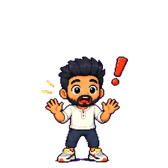
Make your mini
Upload one photo and get a pixel-art version of yourself, in dozens of poses and moods. Coming soon. Until then, Kart keeps you company.
-

It moves in
Your mini settles into the bottom-right corner of your screen and copies you: typing while you code, reading while you browse, dozing when you step away.
-

It reminds you
When it's time, it acts it out. Sipping water, stretching, covering its eyes. Click it once you've done it too.
Eight small habits, and any of your own
Each habit has its own animation and its own timer. Turn on the ones you want and set how often.
- Drink water
- Stretch
- Rest your eyes
- Check your posture
- Stand up and walk
- Take a deep breath
- Eat a healthy snack
- Two minutes of calm
Add your own too, like "Take vitamins" or "Call Mum".


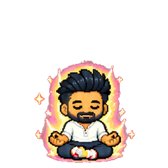
Keep a streak and it powers up
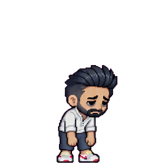
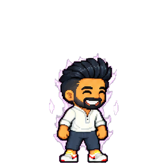
Finish reminders in a row and your mini charges up, then goes Super, then Ultra. Let them slide and it gets visibly tired. You'll find you want to keep it happy.


On time for meetings, quiet during them
MiniMe reads your Mac's Calendar and appears five minutes before a meeting, then again when it starts. Click it to open the Zoom, Meet or Teams link.
Once your camera or microphone is on, it steps out of view and holds every reminder until the call ends. If you walk away, it waits and welcomes you back.
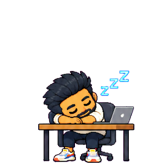
It moves like a person and has moods to match
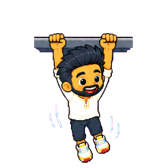
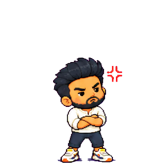
It peeks round the edge of your screen, climbs up from the bottom, hangs from the top and drops in. It cheers at a streak, sulks when you snooze and falls asleep at its desk if you work too late.

Your Mac stays yours
- Your apps stay private
- MiniMe checks which app is in front, whether a call is on and whether you're away, on your Mac. App names and window titles never leave it.
- Your photo isn't kept
- It's used once to draw your mini, then deleted.
- No account, no tracking
- Download it and open it. That's the whole setup.
- Light on your Mac
- Under 1% CPU while it sits in the corner.
Questions
Is it really free?
Yes. MiniMe is free to download and use. There's no trial, no subscription and no ads.
Which Macs does it run on?
Macs with Apple silicon (M1 or later) running macOS 14 Sonoma or later.
Can I make a mini of myself today?
Not yet. Making your own mini from a photo is coming soon. Leave your email below and we'll write once, the day it's ready. Until then you get Kart, the original MiniMe.
Will it get in my way?
It sits in one corner, clicks pass through everything around it, and it steps away during calls. You can also keep it off screen until something actually needs you.
Does it need my calendar?
Only if you turn on meeting alerts. macOS asks for permission first, and your events stay on your Mac.
Who made it?
MiniMe is made by Skeontech. Kart is a pixel version of its founder.
Bring your mini home
MiniMe is free for Mac. Leave your email and we'll send one message, on the day you can make your own mini.
Download MiniMe for Mac